

Emergency Procedure
Emergency Stop: In any emergency situation, press the nearest red Stop button on the front or rear of the machine, or on the remote control. This will immediately halt all motion and engage the brakes.
If the Burro is pinned against an object (e.g., a wall) and a bumper or stop button is held down, the brakes will remain engaged. Only attempt the following procedure if it is safe to do so.
Pop Up1
A pop-up will appear on the screen and begin a countdown.
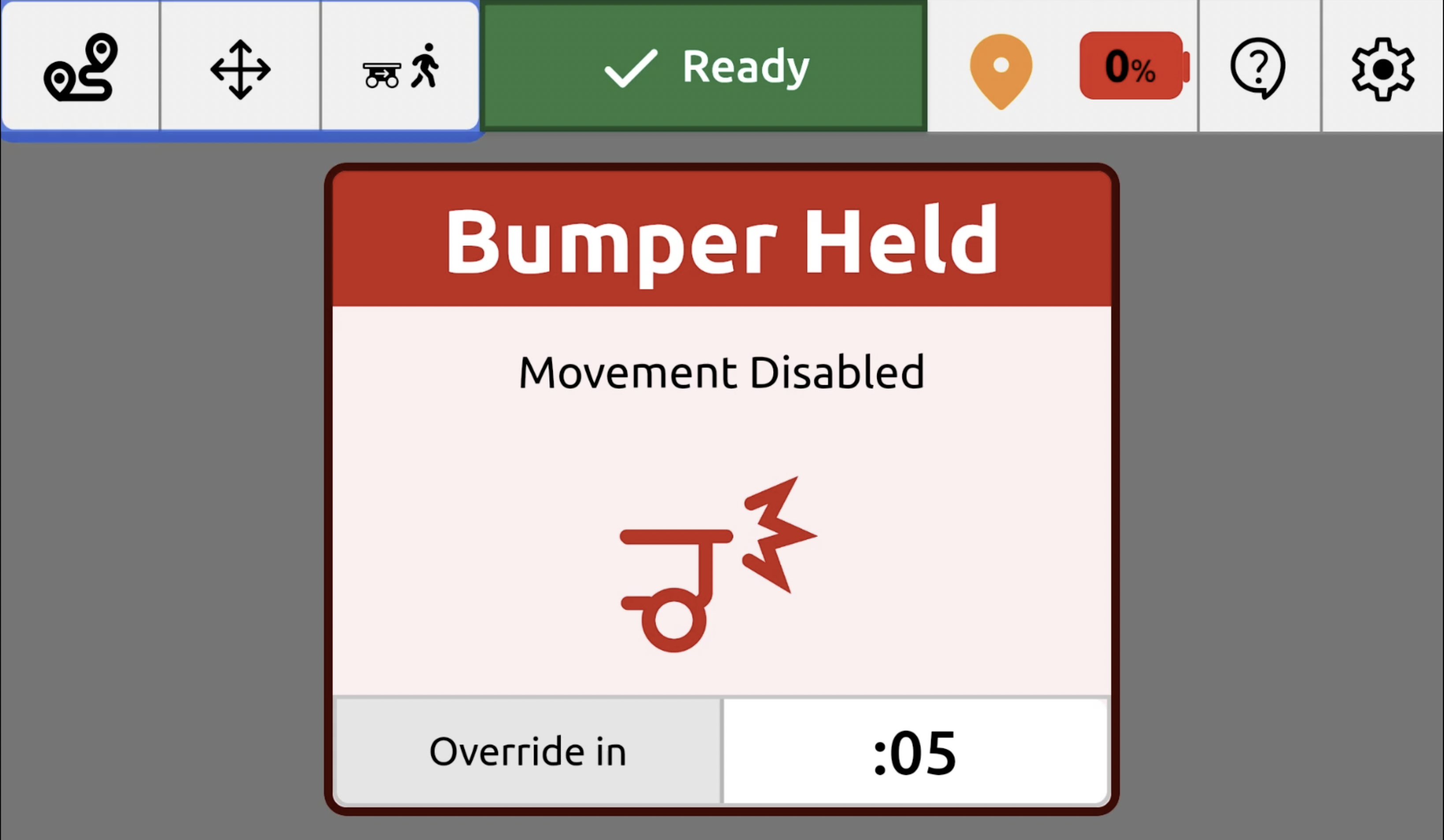
Hold down the bumper bar2
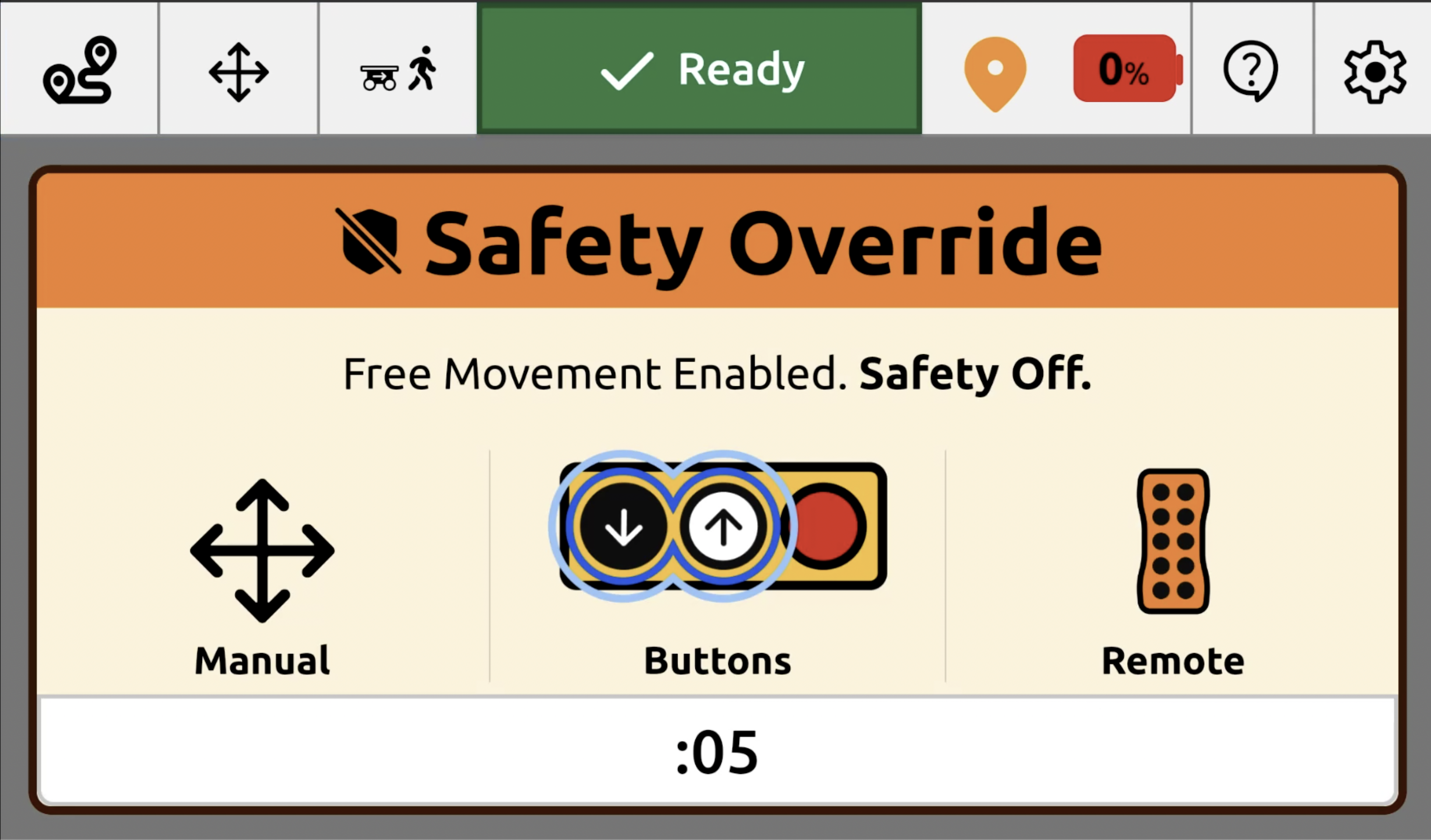
Continue holding the bumper bar or Stop Button until the countdown timer concludes to activate the override mode.
Override mode3
Once in override mode (active for 30 seconds), you can use the Forward/Reverse buttons or Manual Control on the screen to carefully move the Burro away from the obstruction.
Reporting 4
If it is not safe to move the machine, use a forklift or other heavy equipment. Notify Burro support immediately.
Faults: If the Burro stops and displays an error message on the screen, follow the on-screen prompts. If the issue persists, use the Issue Reporting feature on the UI and contact Burro support.
Incident: In case of an accident or collision, immediately press an Emergency Stop button. Report the incident to your supervisor and to Burro support.