

Assembly
This section provides instructions for safely unpacking and performing the initial assembly of your Burro Grande.
Heavy Machinery
The Burro Grande is a heavy machine. Unpacking and assembly should be performed by at least two people.
Tool Checklist
Flathead screwdriver
Snips, scissors, or box cutters
A second person to assist
M6 hex driver
Torque wrench
Socket wrench with extension and 21mm socket
Unpacking
Level surface1
Place the shipping crate on a level surface with adequate space around it.
Straps2
Carefully cut and remove all straps securing the Burro to the pallet.
Lifting3
With the help of another person, carefully lift the Burro off the pallet and place it on the ground.
LiDAR Hoop Installation
Fragile Component
The LiDAR hoop is a sensitive and critical component. Handle with care. This is a two-person job.
Align the holes1
Position the LiDAR hoop in the sensor frame so that the mounting holes are aligned.
Torque down the bolts2
Insert two (2) M10x75mm bolts through the upper side holes, with the bolt heads facing outwards. Fasten with M10 lock nuts and torque to 35 ft-lbs.
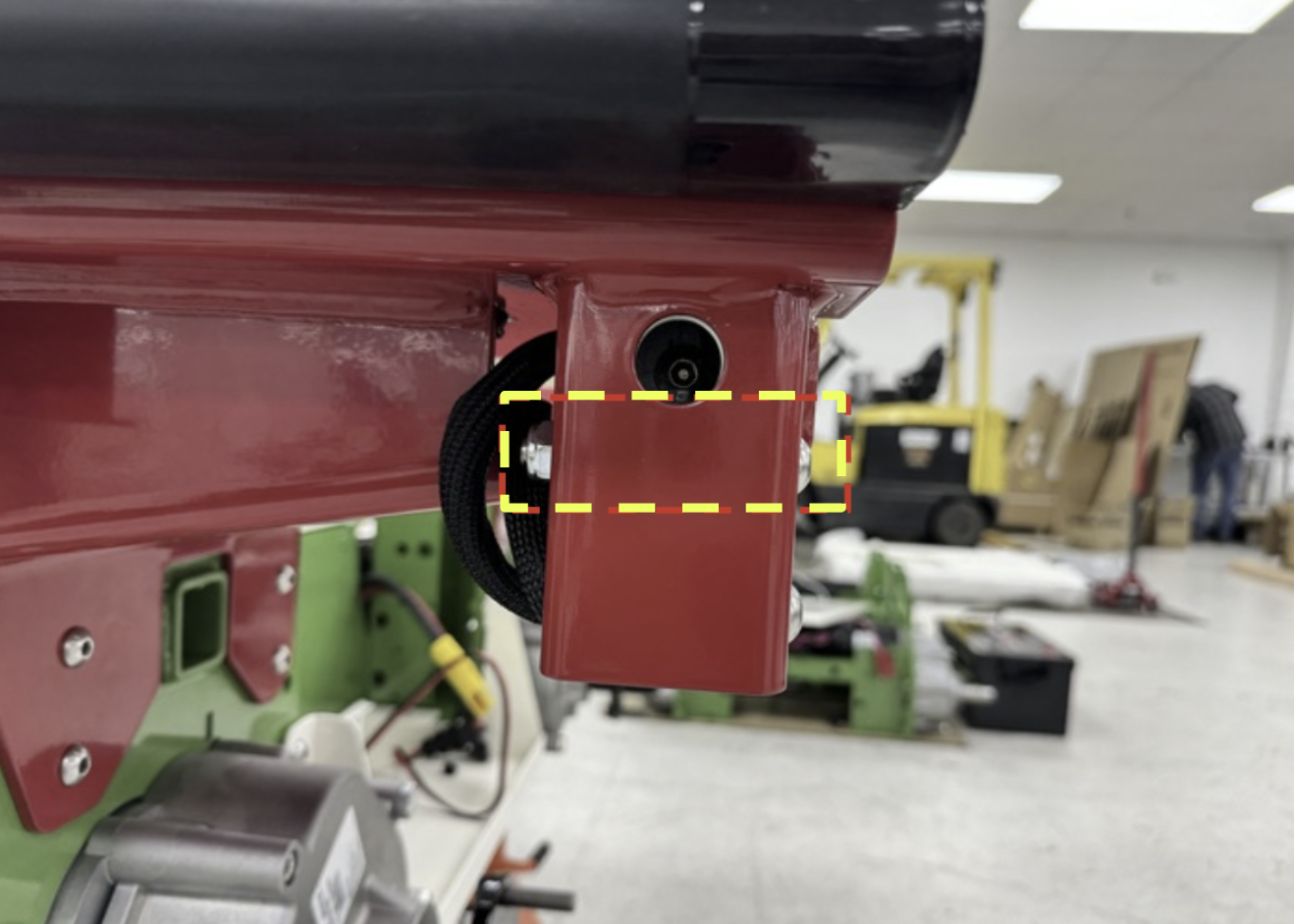
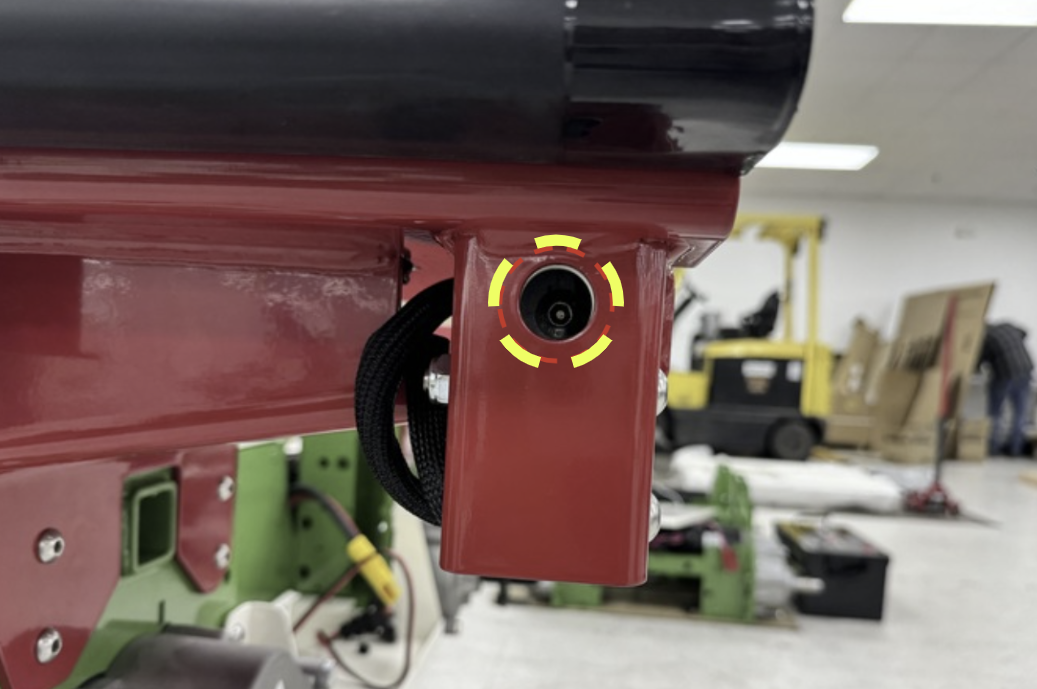
Front Holes3
Insert two (2) M10x30mm bolts through the front holes and torque to 35 ft-lbs.
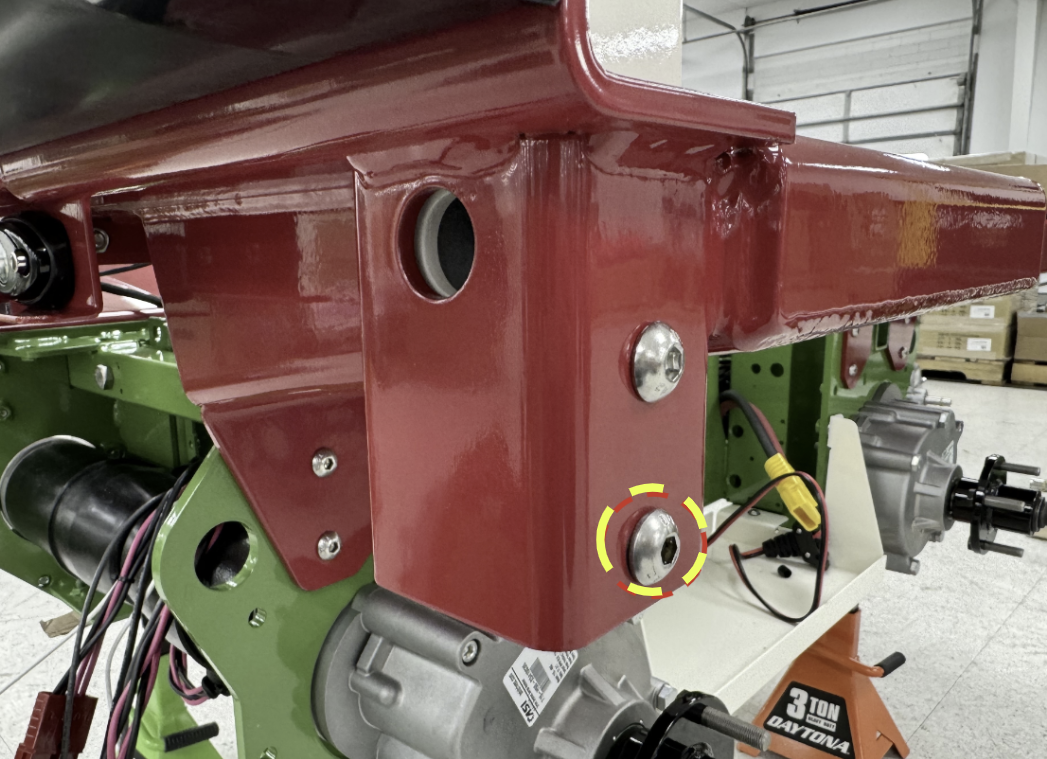
Bottom Bolts4
Insert two (2) M10x30mm bolts through the bottom side holes, with the bolt heads facing outwards, and torque to 35 ft-lbs.
Battery Installation
LFB Batteries1
Each Burro comes with two Lithium Iron Phosphate (LFP) batteries as standard.
Anderson Connector2
If not already attached, bolt the Anderson connector cables to the positive (red) and negative (black) terminals of each battery.
Battery Slots3
Carefully place each battery into the battery slots at the front and back of the Burro.
Secure4
Secure each battery by tightening down the Burro-logo bracket.
Final Connections and Verification
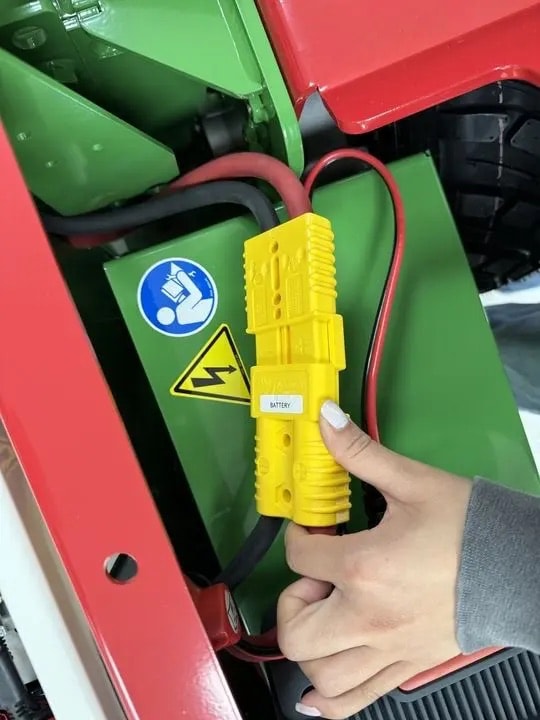
Connect Batteries 1
Plug the yellow Anderson connectors from the batteries into the corresponding connectors on the machine.
Initial Power On2
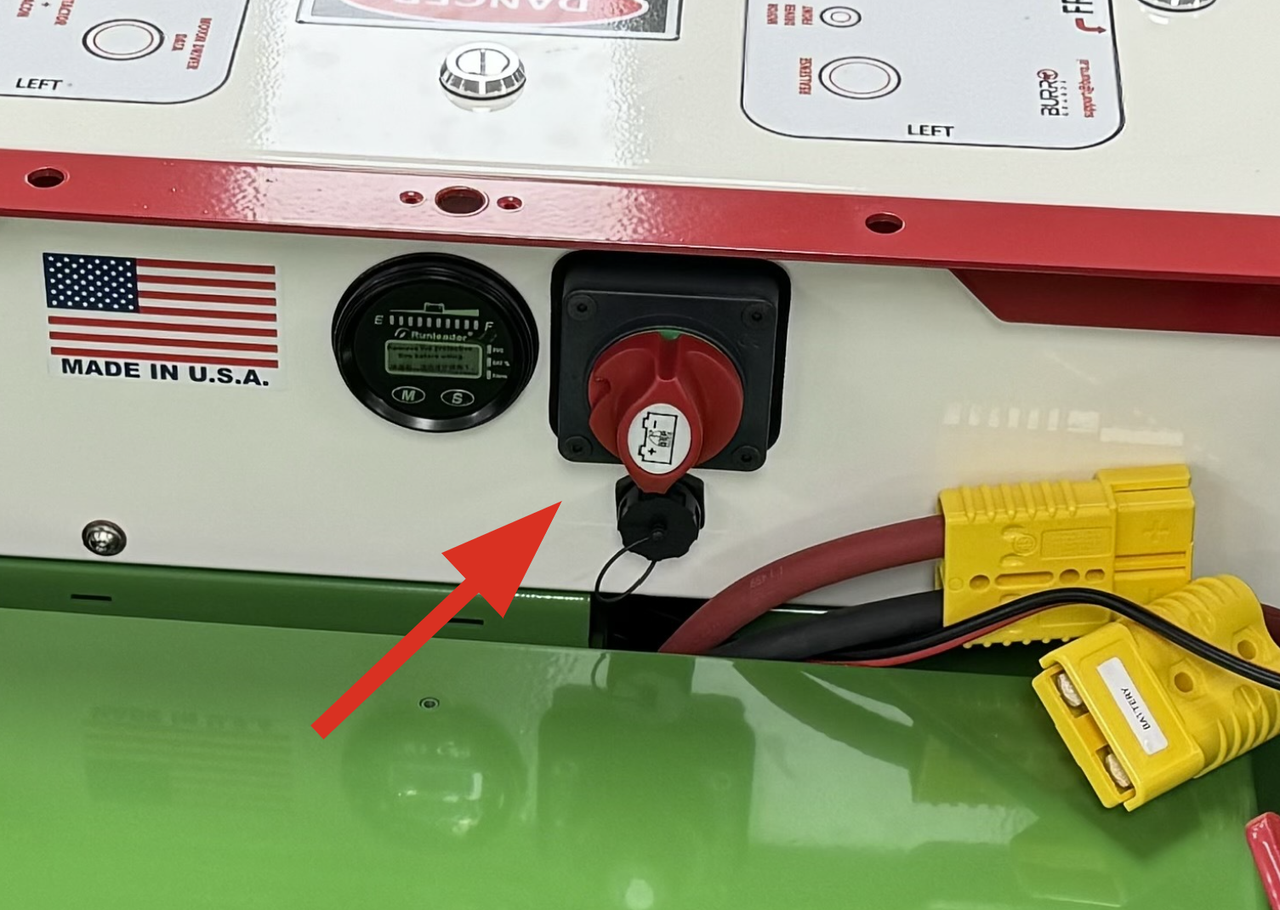
Turn the red power switch to the ON position.
Verify Software3
Once the UI loads, navigate to Settings > General. In the side menu, verify that the software version is 5.5 or higher.
NTRIP Setup4
Contact Burro support at support@burro.ai to enable NTRIP credentials for the machine.