

Network Paths
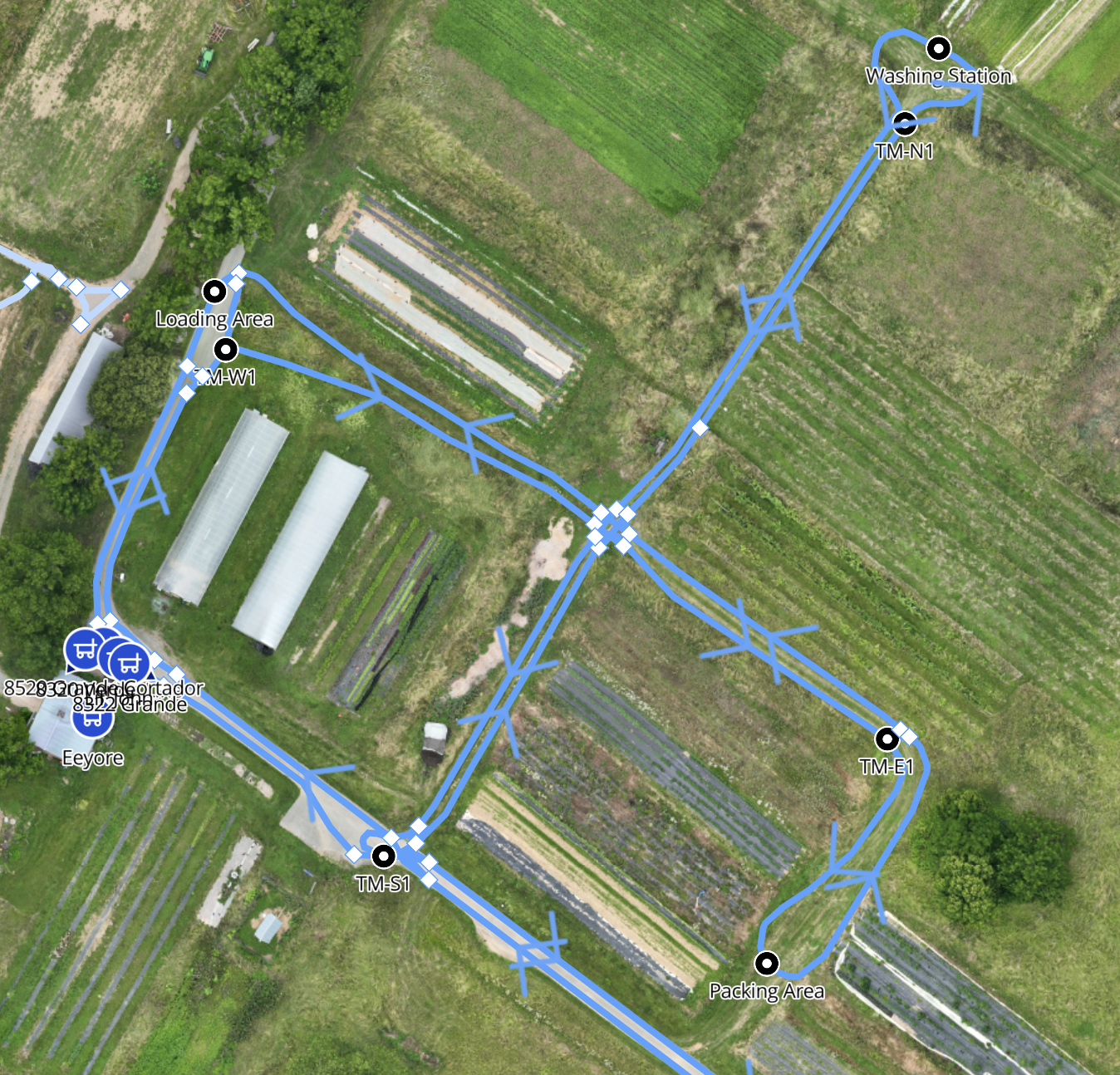
Network Paths are routes that Burro can choose to navigate on to get from point to point. Think of these as the roads Burros use to calculate the most efficient route to any Destination.
Purpose: Define where Burros can travel between points on the network.
Details
Network Paths are driveable segments that form the navigable routes within a site.
Network paths are always displayed in blue on the map.
A site may have more than one network, each with its own set of paths. Destinations and Stations are scoped to the network they are placed on.
Burros automatically select the most efficient path to reach the next Destination.
Multiple paths can exist between the same two points, giving Burros routing flexibility.
Each path can be set to one-way or two-way to control traffic direction on the network.
You can set a speed limit on individual paths — useful for slowing Burros in areas with low visibility, tight turns, or heavy foot traffic.
Double-clicking a selected path splits it at that point, letting you branch off and connect a new route.
Adding a Destination or Station to an existing path will also split it at that point. Review your network after placing new elements to confirm all segments remain connected.
Creating a Network Path
Open your site in BOSS Web at boss.burro.ai.
Select the Network Path tool from the map toolbar.
Draw your path by clicking on the map to place points. Each click adds a new segment.
Connect the path to your existing network to make it active during autonomy.
Configure path settings as needed — set it to one-way or two-way, and add a speed limit if the area requires it.
Publish your changes to send the updated network to your Burros.
Best Practices
Keep all paths connected. Disconnected paths won’t be recognized during autonomy. Always verify your network is fully connected before publishing.
Use one-way paths on shared roads. In areas where Burros navigate alongside other vehicles on wider roads, set paths to one-way so robots stick to the correct side of the road. For multi-lane roads, place two parallel one-way paths — one for each direction of travel.
Set speed limits in low-visibility or tight areas. Slower speeds in intersections, doorways, and high-traffic areas give Burros and people more reaction time.
Use Copy & Paste for repeating layouts. If your site has sections with similar path patterns, copy and paste instead of redrawing from scratch.
Split paths to branch routes. Double-click a selected path to split it and connect a new route at that point, rather than deleting and redrawing.
Publish only when ready. Changes are saved locally until you publish. Take time to review your full network before sending updates to your Burros.