

Repeat Missions
Repeat Mission lets your Burro automatically rerun the same set of tasks—like destinations—on an infinite loop or set number of times, reducing manual input and keeping operations running smoothly.
Set it once, let it roll!
Repeat Mission automatically reloads the mission after the Burro completes the final task, so your Burro can keep operating through the same list of tasks (e.g. destinations) on repeat—no need to reenter repetitive workflows leading to unnecessary taps, error,s and downtime.
How it Works
Go to Settings › General1
Toggle Repeat Mission → On2
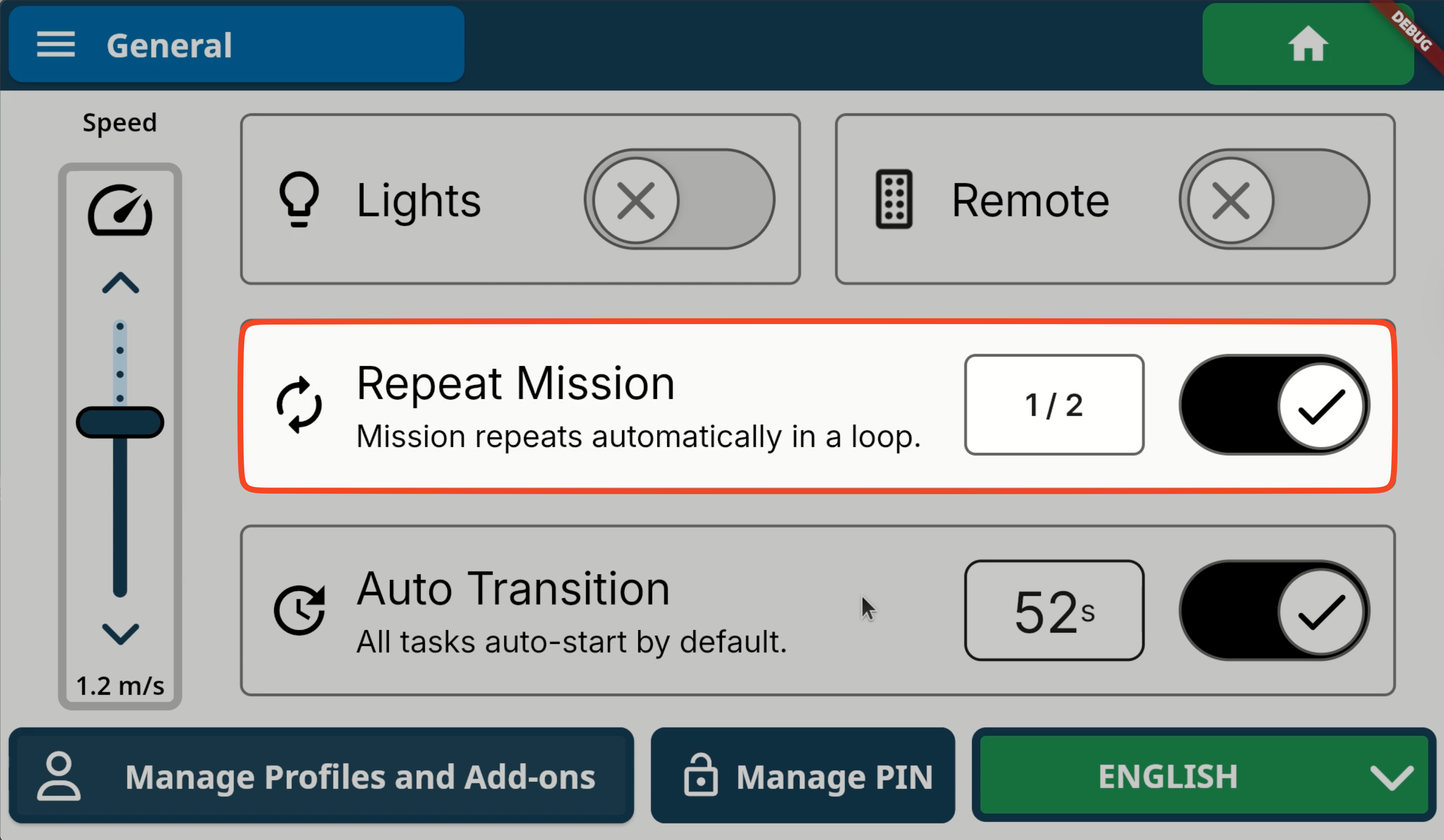
Update Cadence3
By default, the Repeat Missions cadence is infinite, but for those times you want to set a fixed number of runs, you can update it by tapping the input next to the toggle.
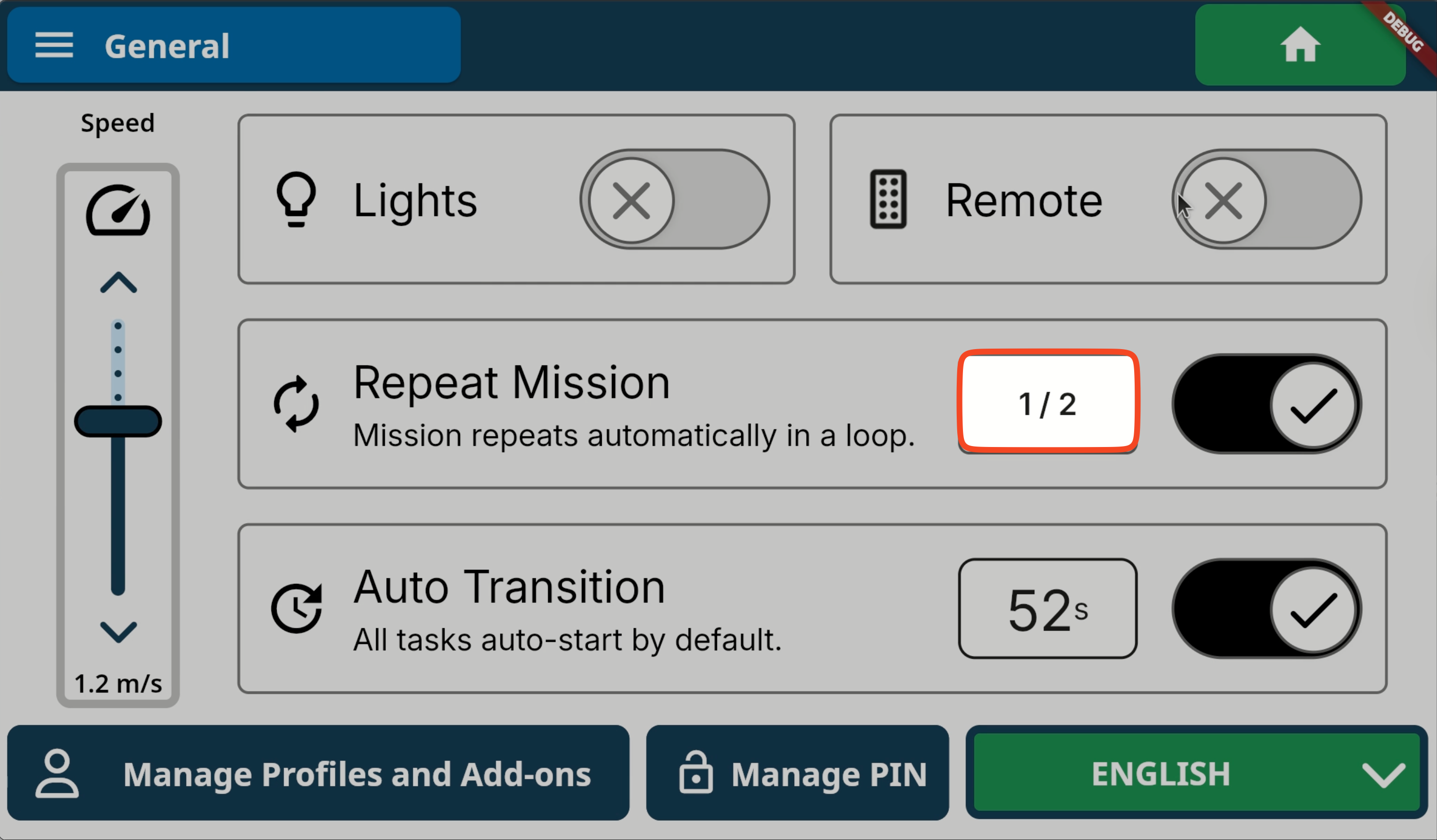
Add Task to Mission4
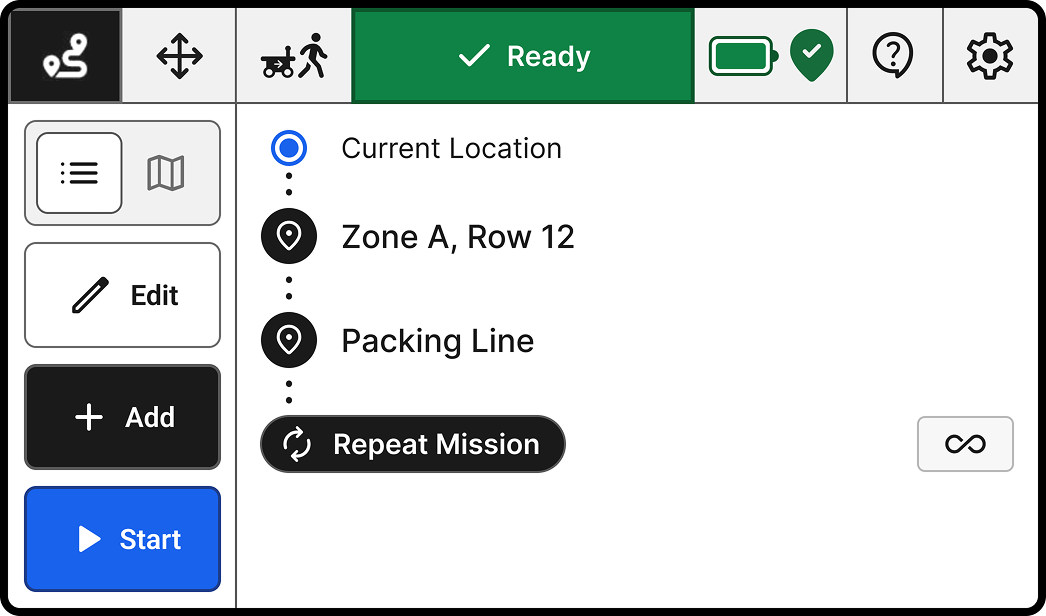
Update in Mission List5
Determine Cadence. Infinite or finite? Your call and do it in the list by tapping the repeat setting indicator.
Details
Choose Infinite and let the robot run until you end the mission or turn it off.
Select Count and set the exact number of repeats—ideal for shift-based jobs or limited workloads.
Why Use Repeat Missions?
Hands-off productivity: Pick your destinations once, and the Burro will repeat them again and again.
Fewer interruptions: Operators spend less time at the screen and more time on more important work.
Consistent performance: Perfect for shuttle runs, supply loops, or any task that never really ends.