

Homelogologo
Homelogologo
ReleasesBurro Website
DocumentationPlatformsAttachmentsInterfacesWebAPISerialAPI
Burro Cortador
Introduction
Introduction
Specification
Safety
Pre-operation inspection
Emergency Stop
Disengage power
Guides
Maintenance
Attach & Detach
Operation
Area Mowing
Manual Mowing
Tips & Tricks
Docking Station
Introduction
Introduction
Safety
Specification
Supported Outlets
Safety
Safety Information
Guides
Dock Placement
Installation
Hardware Indicators
Calibration
Manual Charging
Autonomous Docking
Remote Control
Enabling the remote
Features
Specifications
Base Station
Introduction
Unboxing
Operation Modes
Setup Modes
Non-permanent setup
Permanent setup
RTK Torch
Introduction
Introduction
Unboxing
Guides
Usage Instructions
Android Setup
Bluetooth Connection
NTRIP Connection
SW Maps Usage
Record GPS
Troubleshooting
AttachmentsRTK TorchIntroductionUnboxing

Unboxing

info:

LiteRTK kit contains the following items:

  • LiteRTK [1]

  • USB Type-C cable [2]

  • Case [3]

LED Function Status

  • GREEN: PPS (Pulse Per Second) BLINKING (1s), antennae detects satellites

  • ORANGE: Status SOLID, LiteRTK is online and ready to be connected

  • BLUE: Bluetooth Device is connected to LiteRTK through Bluetooth

Contents
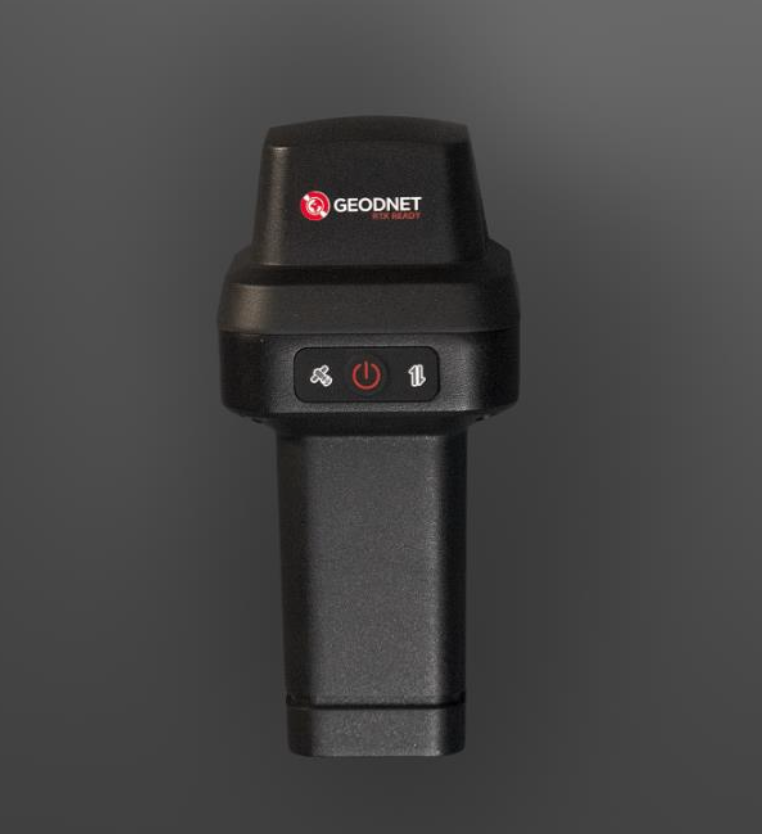
GPS Torch
Last updated 4 quarters ago
Usage Instructions
Up next

On this page

  1. LED Function Status

  2. Contents

Edit in BaseHub
Homelogologo

© 2025 Burro – Your guide to everything Burro.

X logoLinkedIn logoGitHub logo