

Installation
Securing the Docking Station to the Ground
To ensure stability and safety, securely fasten the docking station to the ground. It is crucial to install the docking station on a flat surface that is not prone to water pooling or flooding.
Mounting on Concrete (Recommended)
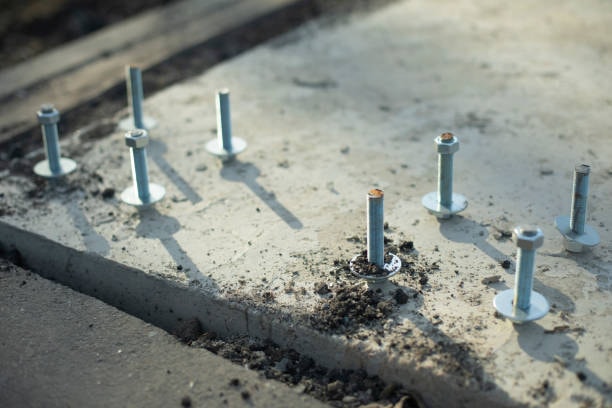
To mount the docking station on a concrete surface, you can use Cast-in-Place Anchor Bolts
Prepare the Concrete1
Ensure the area is clean and free of debris.
Install Anchor Bolts2
Place the docking station in the desired location. - Use a drill to create pilot holes at specified locations on the docking station's base into the concrete.
Insert Anchor Bolts3
Choose drop-in anchor bolts (commonly referred to as "dry-set" or "post-installed" anchor bolts). - Screw the anchor bolts into the pilot holes until they are secure.
Finalize Installation4
Ensure the docking station is tightly secured to the concrete.
Mounting on Dirt
For mounting the docking station on dirt, follow these steps:
Gather Materials1
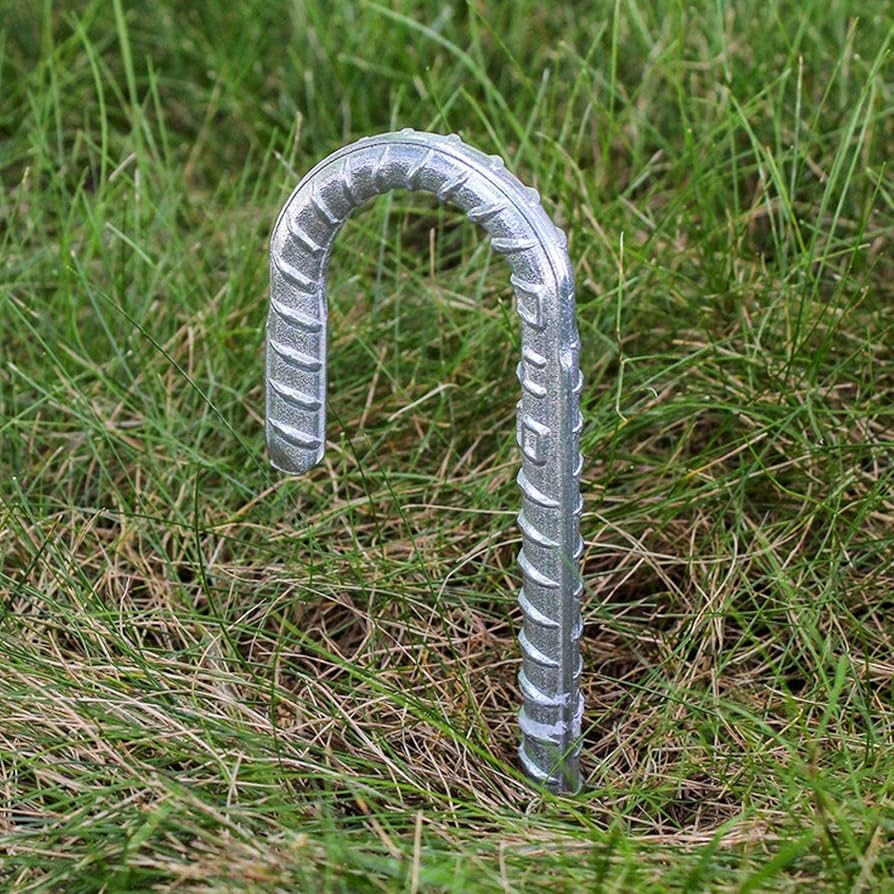
J Hooks, U Hooks or Rebar stakes
Prepare the Area2
Clear the area where you want to place the docking station, ensuring it is flat and level.
Position the Docking Station3
Place the docking station in your desired location.
Insert Rebar Stakes4
Use a hammer to drive J Hooks or U Hooks into the ground at each corner of the docking station. Ensure the hooks are securely anchored in the dirt.
Secure the Dock5
Attach the docking station to the hooks using appropriate fasteners, ensuring it is secure and stable.
For both dirt and concrete installations, always verify that the docking station is level and stable before use. This ensures optimal performance.