

Features
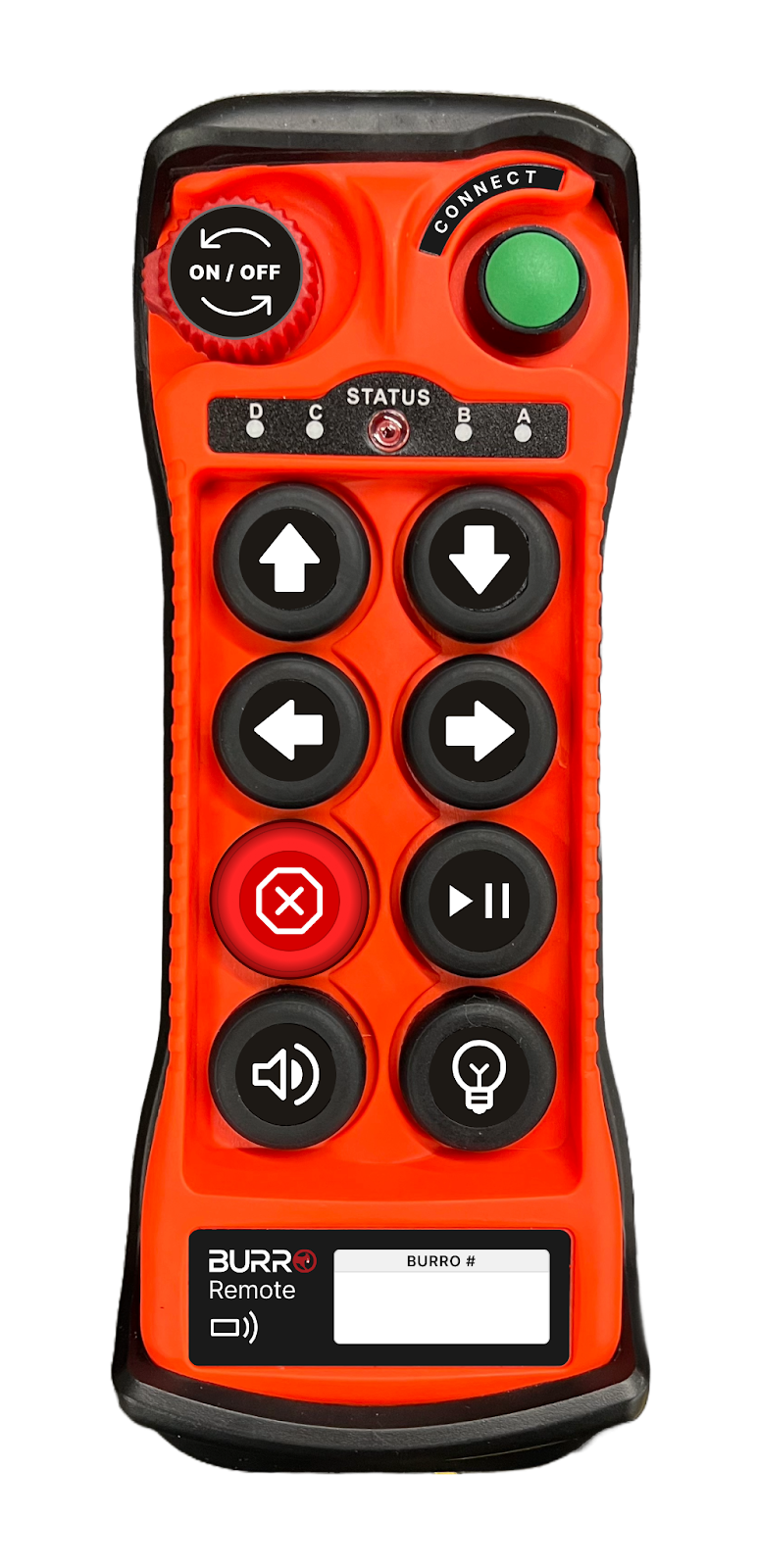
On/Off Button
Turn On: Rotate the button to turn on the remote. It will pop up, indicating that the button is now ready to connect.
Turn Off: Press down the button to turn off the remote.
Movement Buttons
Use the Forward, Backward, Left, or Right buttons to move the Burro in your desired direction.
You can also press a combination of the forward or backward buttons with the left or right buttons to execute smooth turns while moving.
Stop Button
Emergency Stop: Press the Red Stop Button to stop the Burro immediately.
Note: When towing trailers, be cautious as an immediate stop could cause tipping, especially at higher speeds.
Horn Sound
Single Press: Honk the horn.
Press and Hold: Keep the horn sound going.
Connect
Utilize the Forward, Backward, Left, or Right buttons to move the Burro in your desired direction.
Play/Pause Button
DBR Mode:
Press the Button to:
Start a route.
Continue on a route.
Proceed to the next destination.
Clear an obstacle.
Autonomous Mode:
Press the Button to:
Bring the Burro to a smooth halt.
Press again to resume autonomous operation.
Use a single press to clear obstacles while ensuring you are in close proximity for safety.
No Mode:
No Action: The button has no functionality when the Burro is in no mode.
Light Switch
Single Press: Turn the Burro lights On/Off.
Hold Down: Activate flashing lights mode.