

Calibration
You must calibrate the dock so the robot consistently finds the stop point and makes solid pad contact for wireless autonomous charging.
Prerequisites
Dock hardware powered on: transmitter power switch ON and charger selector set to Dock (LEDs blink green with power, solid green while charging).
Robot software 6.13+ and speed slider ≤ 1.2 m/s.
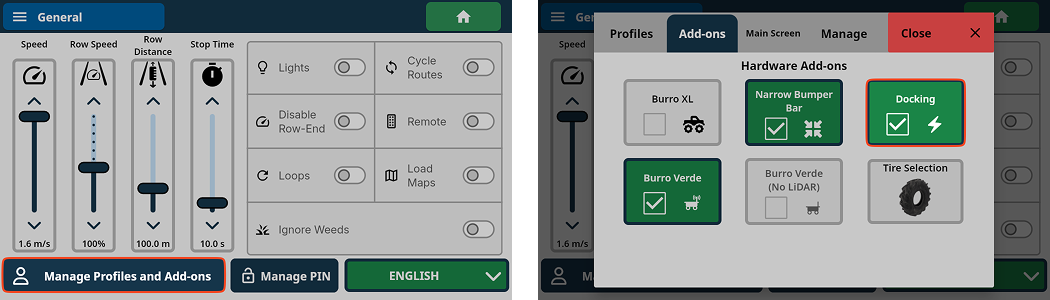
You must be in the Harvest Assist UI. Go to: Settings → Tap Manage Profiles & Add On → Go to Main Screen tab → Select Harvest Assist.
Steps
Position & align at the dock
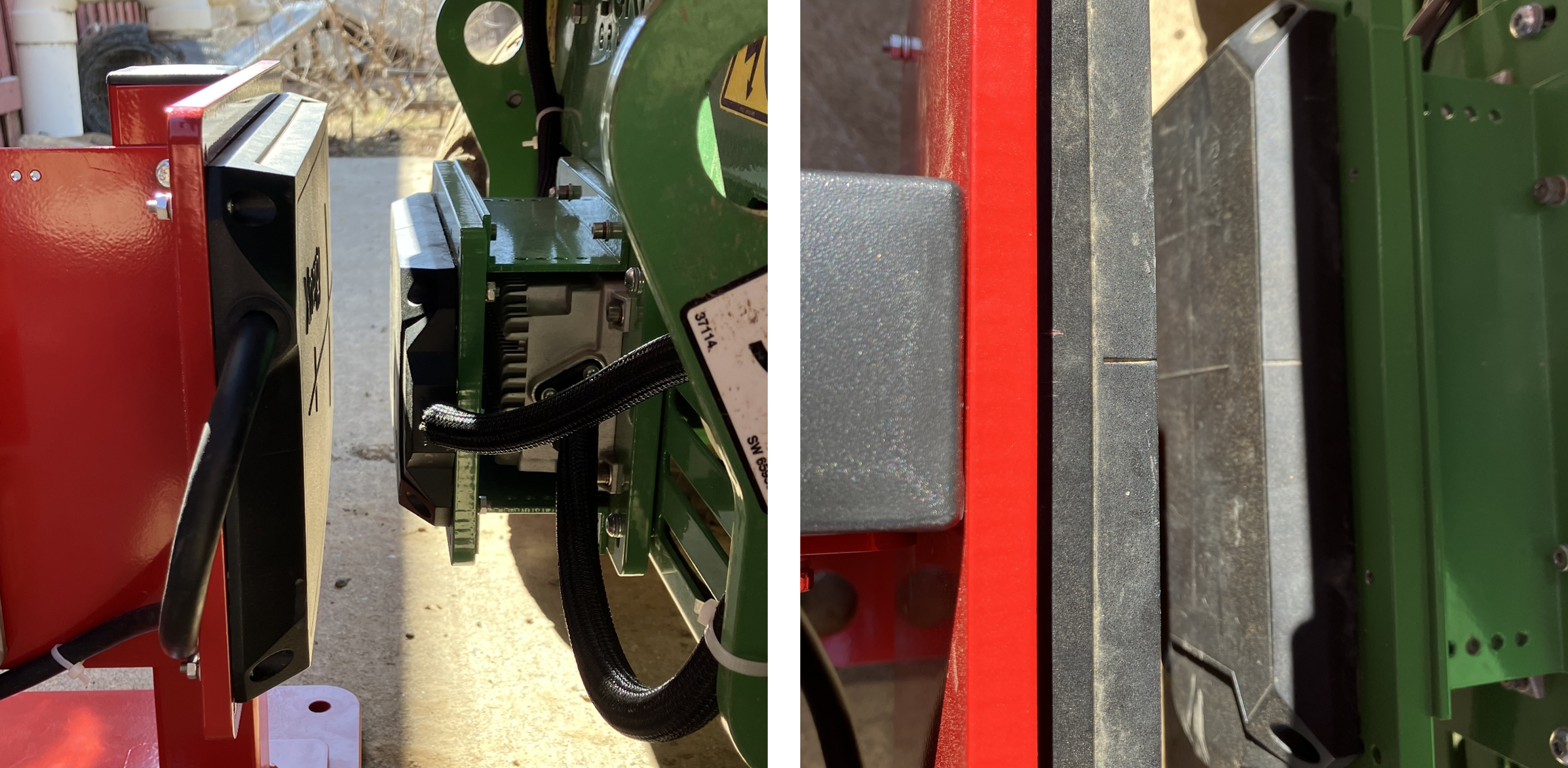
Drive the Burro to the dock; use the remote or Manual mode to precisely align the charging pad with the dock pad.
Align the hash marks on the sides of the pads within 0.5 cm vertically. (Both the receiver and transmitter pads can be adjusted vertically using the mounting holes.)
Set the pad spacing to 3.5 cm ± 0.5 cm.
Use the centerlines on the top and side of the pads to guide alignment. If alignment is off, charging will not start.
Enable Docking Settings (if not already on)
Go to: Steps → Settings → Manage Add-ons → Add-ons → Docking Settings and turn it On.
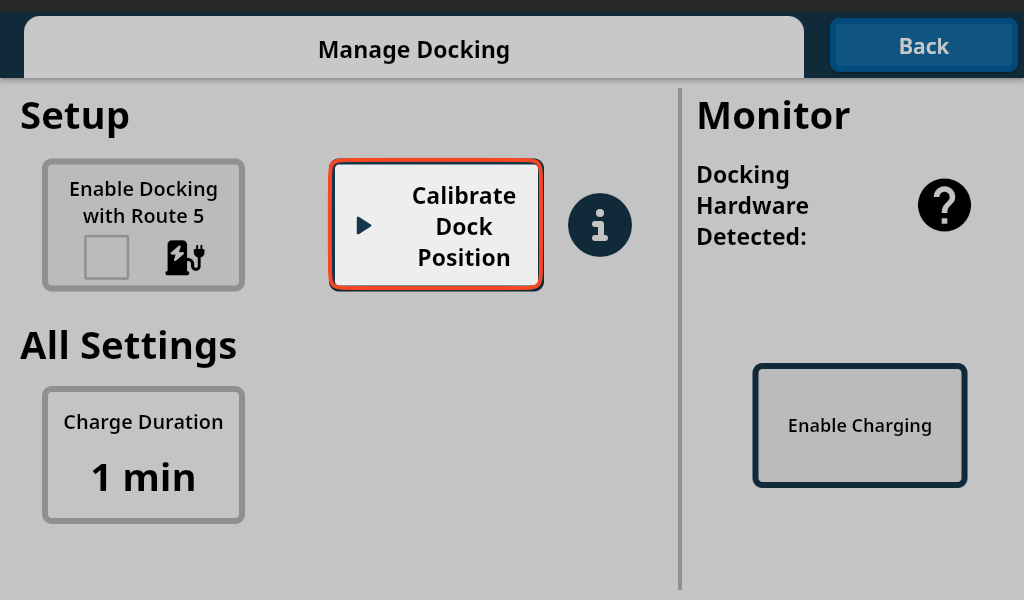
Open Docking Settings
On the robot: Home → Burro icon → Docking Settings.
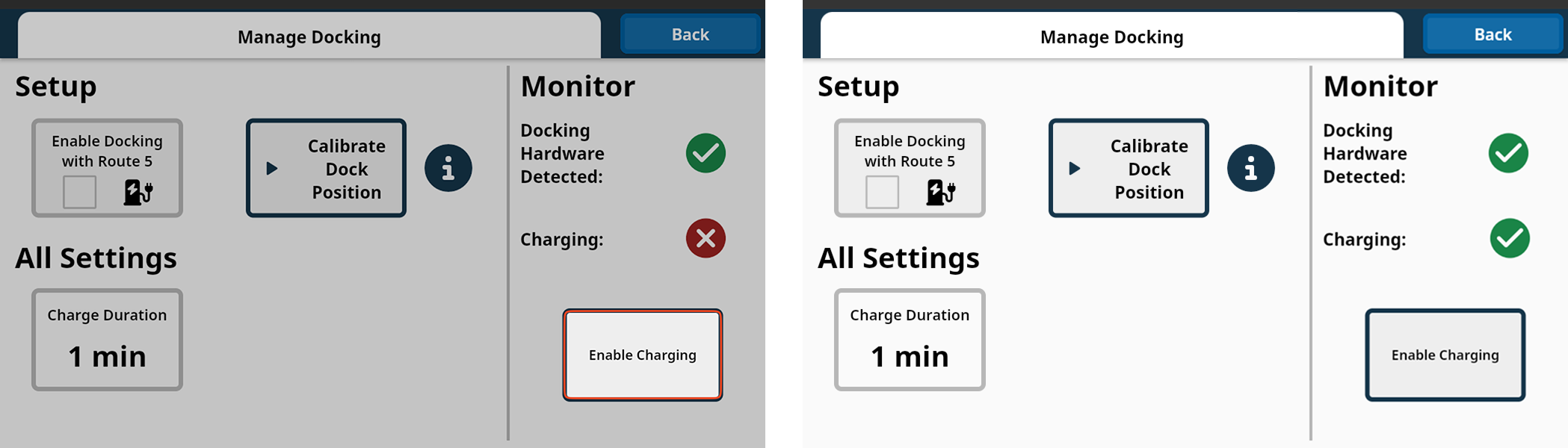
If pads are aligned, Docking Hardware Detected should be green. If not, ensure the pads are properly aligned,
In Docking Settings / Manage Docking, first Enable Charging briefly to confirm contact (Charging shows ✅). Disable Charging.
Tap Calibrate Dock Position (or Calibrate).
The action can take up to ~10 s; the button flashes green on success.
Do not block the robot’s view of the dock and avoid moving anything during calibration.

Troubleshooting
Charging flips from ✅ to ❌ after a few seconds → Re-check alignment and 3.5 cm ± 0.5 cm spacing; reseat and retry.
“Docking Hardware Detected” is not green → Verify transmitter power switch and charger selector; check cabling and LEDs.
Calibration fails/no green flash → Remove obstructions, hold position, and retry; if still failing, re-align pads and try again.
Controls disabled while charging → This is expected; stop charging in Docking Settings to regain manual/remote control.