

Notifications
Notifications let you receive alerts and updates about the Burros in your fleet.
Notifications let you receive alerts and updates about the Burros in your fleet. Decide which Burros you want to watch, what you would like to be notified of and where alerts should be delivered, all from the Notifications panel.
Managing alerts for your account
Opening the Notifications Panel
With the left sidebar open, click the box containing your initials at the bottom left of the sidebar.
A menu should open, click Notifications to access the settings for your account.
Here you’ll be able to pick which sites and Burros you want to watch, what types of alerts you want to receive and the ability to manage where those alerts get sent to.
Enabling Notifications for the entire customer
Open the notifications panel, scroll to the bottom and click Enable Notifications
This turns on notifications for the entire customer and will allow you to be able to subscribe to its sites and Burros to receive alerts. Turning this off means that any user who is watching a Burro or site tagged to this customer will no longer receive notifications. This will be moved to a customer settings page in the future.
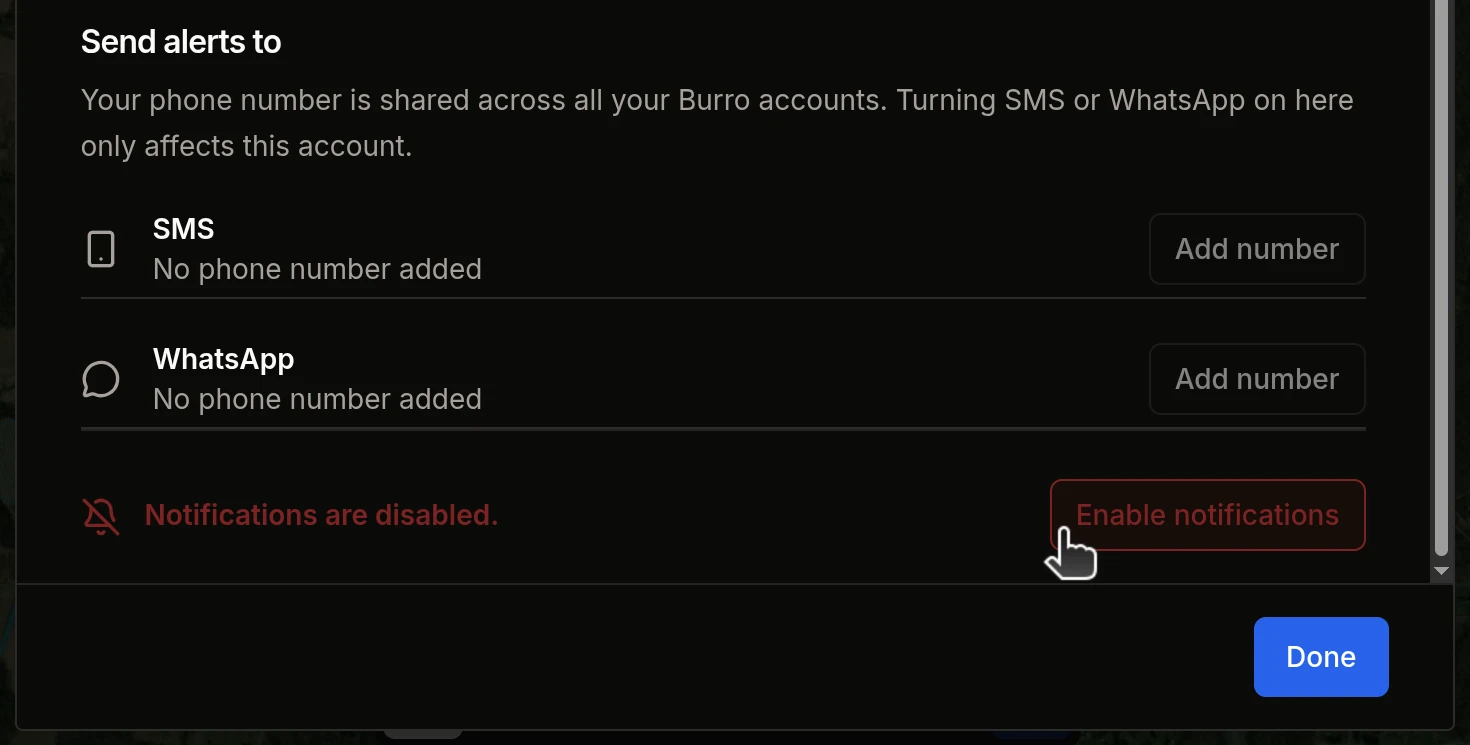
Setting up SMS and WhatsApp
Go to your preferred alert destination, click Add number and enter your device phone number into the box. When you are finished, click the checkbox to the right of the input to save it.
Your device numbers are tied to your account and used across all of your sites and customers.Once your number has been added, click Subscribe and agree to the terms to start receiving notifications.
Your subscriptions are per device per customer. If your account has access to Customer A and Customer B, you must subscribe to your preferred delivery method for each one separately.
Picking Burros to receive alerts from
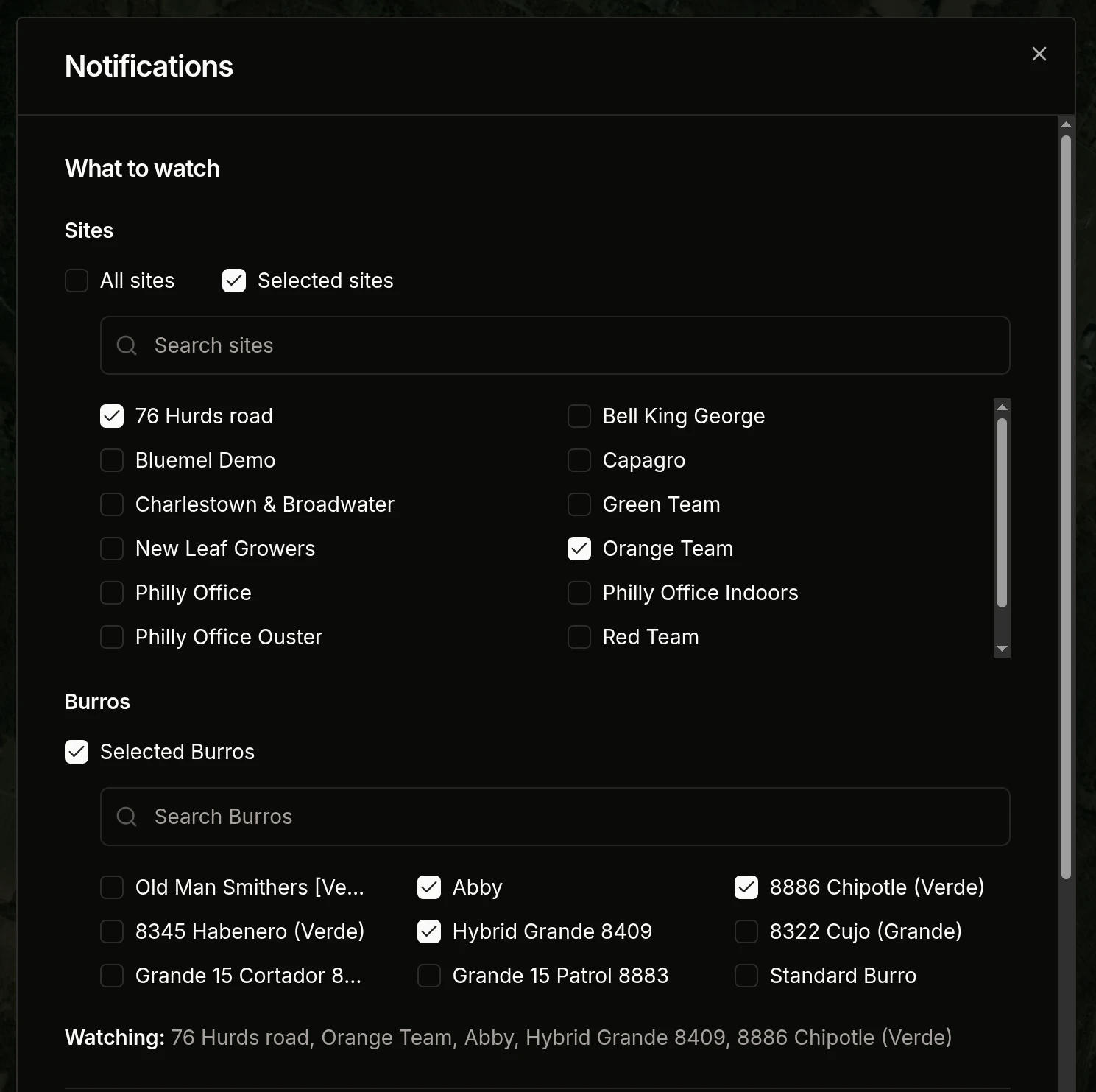
Pick which sites and Burros you would like to watch for this customer.
All Sites - Watch all Burros from all sites in this customer.
Selected Sites - Watch all Burros from the sites you have selected
Selected Burros - Watch the Burros that you’ve selected
You may only ever watch All Sites, or any combination of Selected Burros and Selected Sites. You should never receive duplicate alerts for the same Burro regardless of what you are watching.
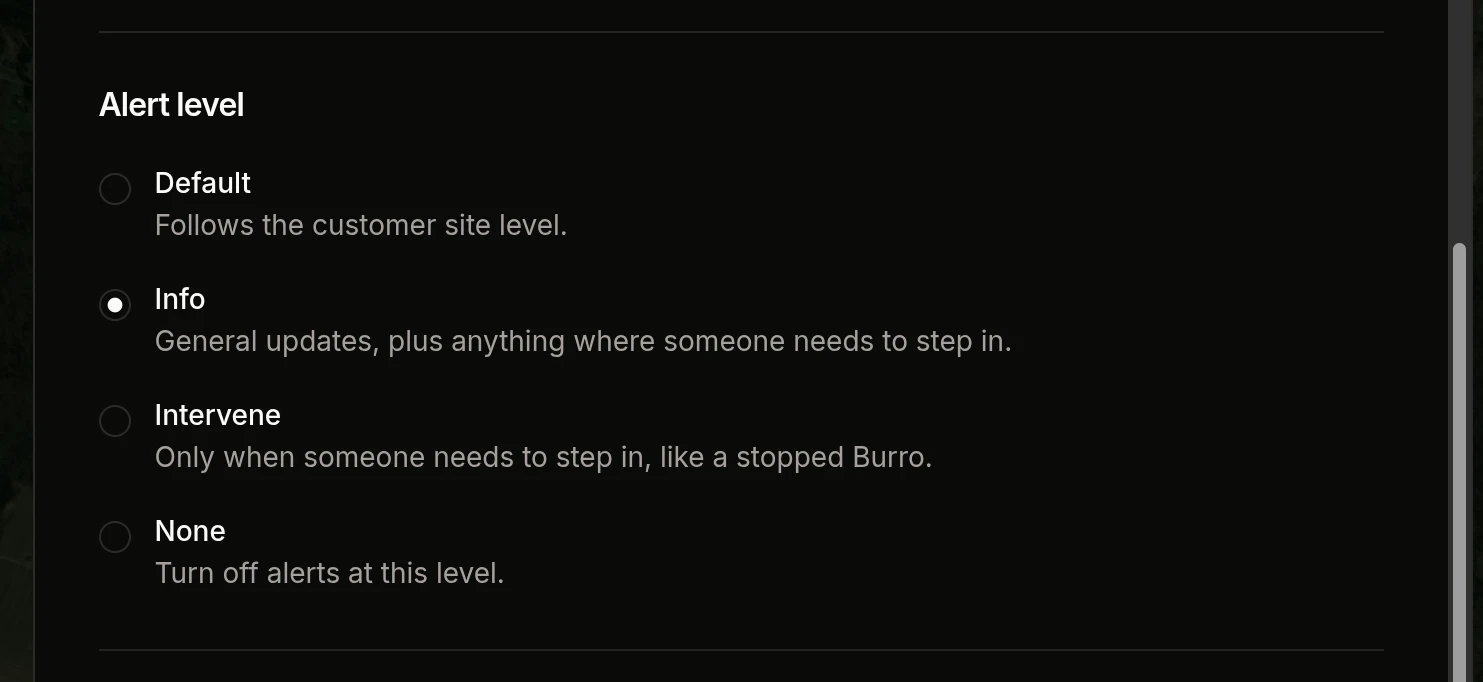
Account Alert Level
Alert level determines what type of alerts you will receive. Think of them as an alert grouping.
Default - Your alert level comes from the sites you watch through Selected Sites, then your customer, then the system default (Intervene). See Which alert level applies to me?
Info - General updates about what the Burro is doing AND Intervene alerts
Intervene - Alerts sent when the Burro needs support.
None - This will turn off all alerts for your user. You will receive no alerts regardless of what you have selected to watch.
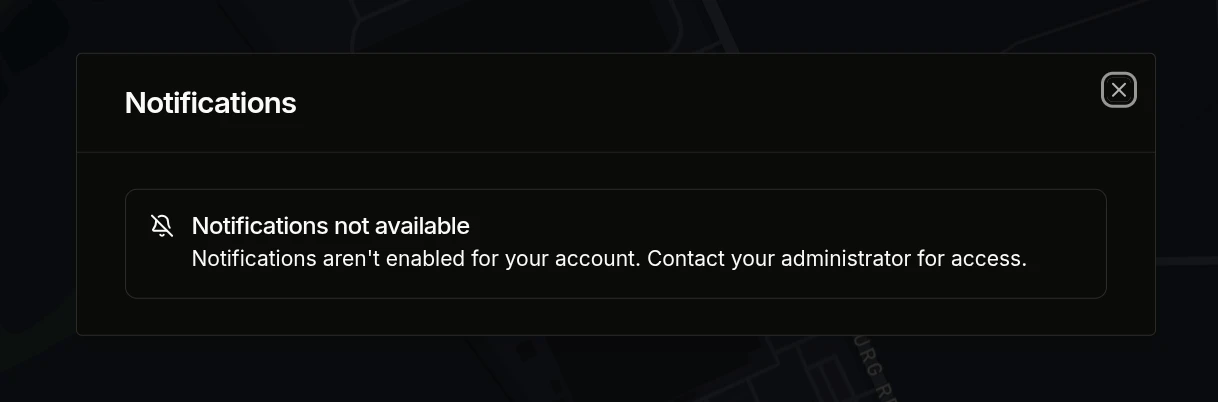
Notifications not available for my customer
If you see the banner pictured below while trying to edit your accounts' notification settings, it is because your account does not have access to the current customer. Request that the customer tag be added to your user account and refresh the browser.
Managing alerts for a site
Sites have their own alert level, which applies to users who watch the site through Selected Sites.
To access notification settings for the site you are on:
With the left sidebar open, click the cog gear next to the site name at the top of the sidebar. In the panel that opens on the right, click the Notifications tab to see your alert settings for this specific site.
Site Alert Level
The alert levels that you see for your account are the same which are available to the site. Refer to the Burro event table above to see how events are grouped.
Site Alert level
Default - Uses your customer’s alert level, or Intervene if none is set..
Info - General updates about what the Burro is doing AND Intervene alerts
Intervene - Alerts sent when the Burro needs support.
None - Turns off alerts from this site for users who watch it through Selected Sites.
Which alert level applies to me?
Your account alert level comes first. If you set it to Info, Intervene, or None, that level applies to every Burro you watch.
If you leave it at Default, the level depends on how you’re watching the Burro:
If no level is set anywhere, you’ll receive Intervene alerts.
For example, if you watch Site A through Selected Sites and Site A is set to Info, you’ll receive Info alerts. If you instead watch a Burro at Site A through Selected Burros, Site A’s setting is ignored.
Your customer’s alert level is set by Burro. Contact Burro support if your team needs a different level.